Total ≈ $254.88 above 14-day baseline.
| Service | SKU | Today | Mean | z |
|---|---|---|---|---|
| BigQuery | Analysis | $187.42 | $12.18 | 51.39 |
| Compute Engine | N2 Custom Instance Core | $94.83 | $28.55 | 13.47 |
| Cloud Storage | Standard Storage US | $22.10 | $8.74 | 12.72 |
Open in BillSnap →
BillSnap posts anomaly alerts to Slack via an Incoming Webhook URL — a simple per-channel POST endpoint. Takes ~2 minutes to create.
Go to api.slack.com/apps and sign in if prompted. You'll land on the "Your Apps" page:
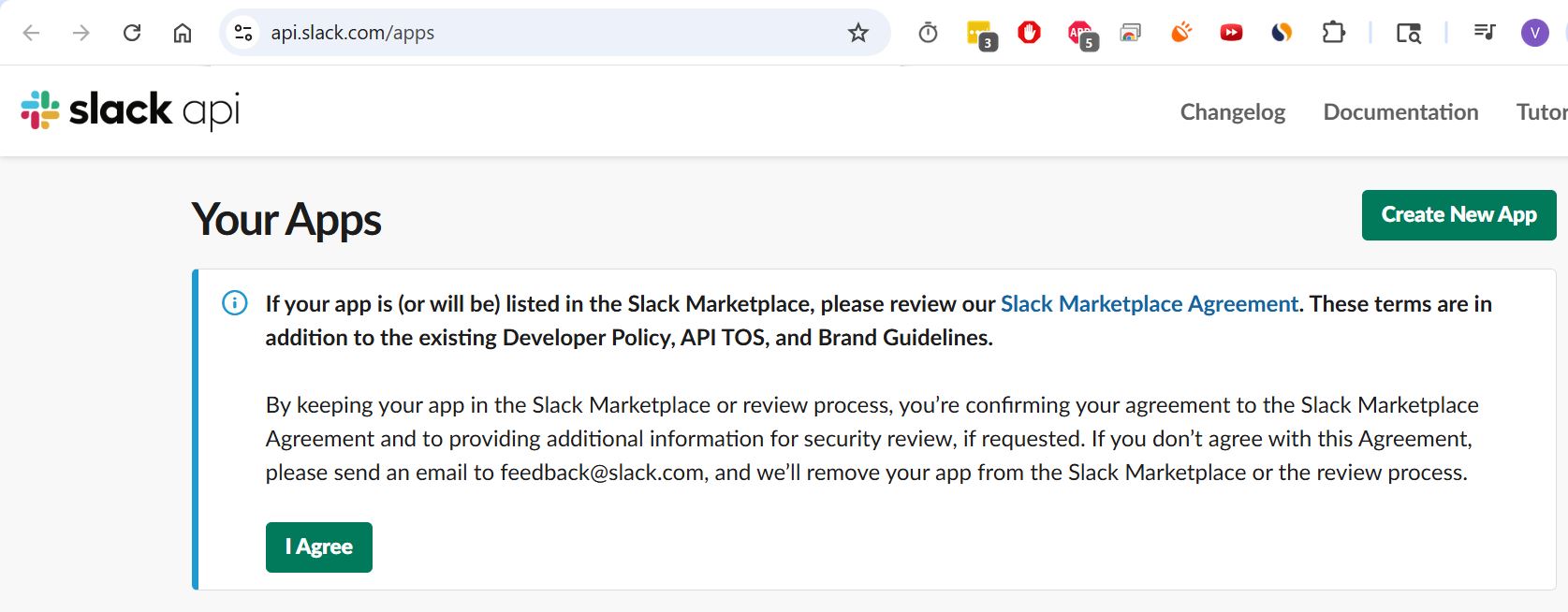
If this is your first Slack app, you'll see the Slack Marketplace Agreement at the bottom. You can click I Agree if you're planning to list your app publicly later, but for an internal BillSnap webhook it's optional — the Create New App flow doesn't require it.
The green Create New App button (top right) opens a modal asking how you want to configure the app:
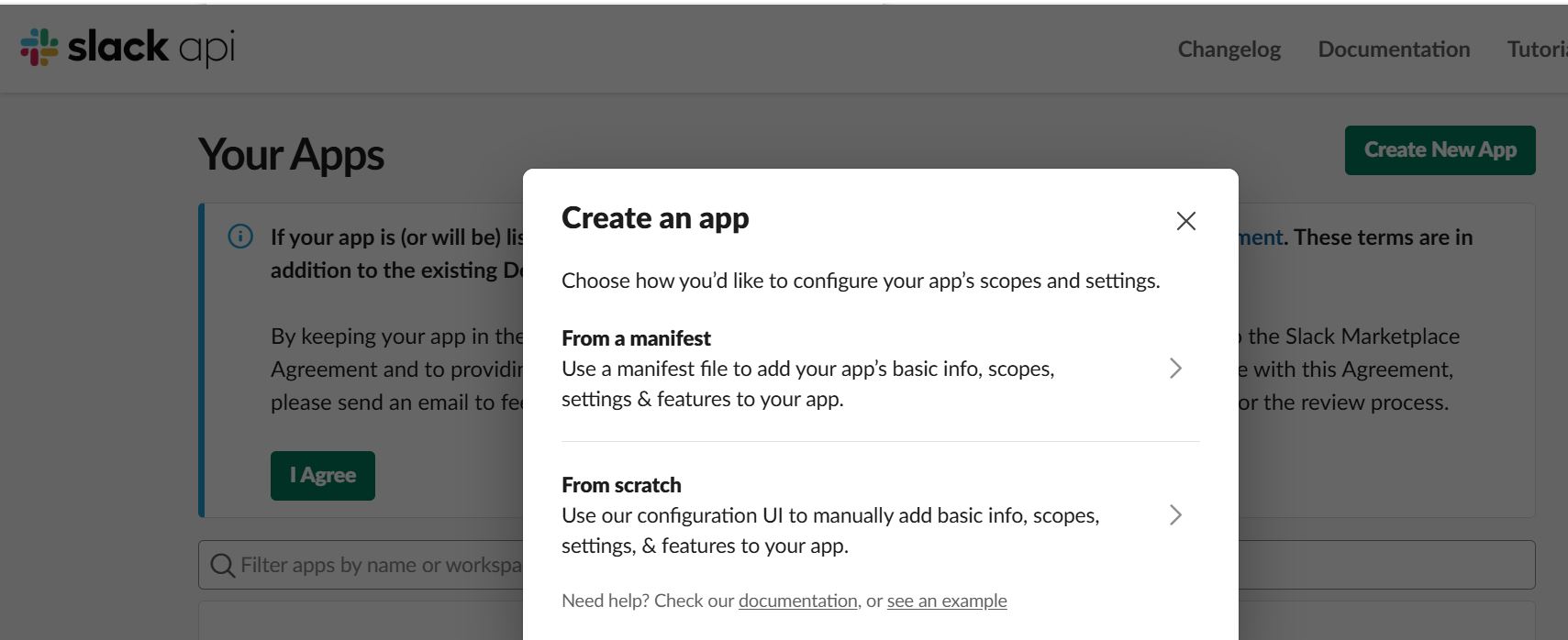
Click From scratch. The manifest option is useful if you're scripting many apps; for one webhook it's overkill.
The next dialog asks for two things:
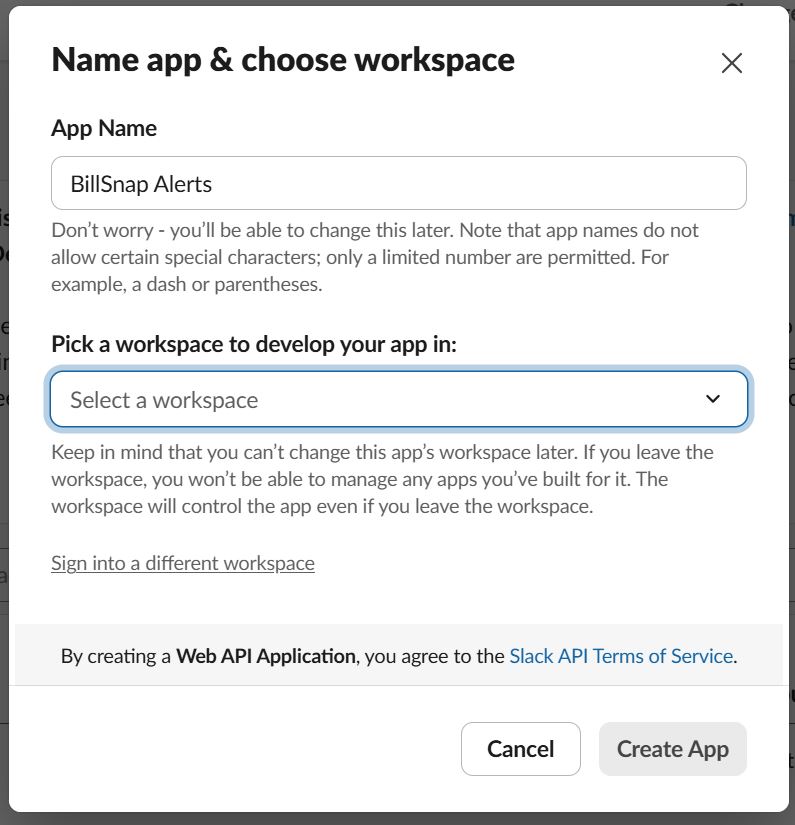
BillSnap Alerts (or
anything you'll recognize in your Slack app list later). You can
rename later from the app's Basic Information page.
Click Create App. (The button stays disabled until both fields are filled.)
You're now on the app's settings page. In the left sidebar, under Features, click Incoming Webhooks:
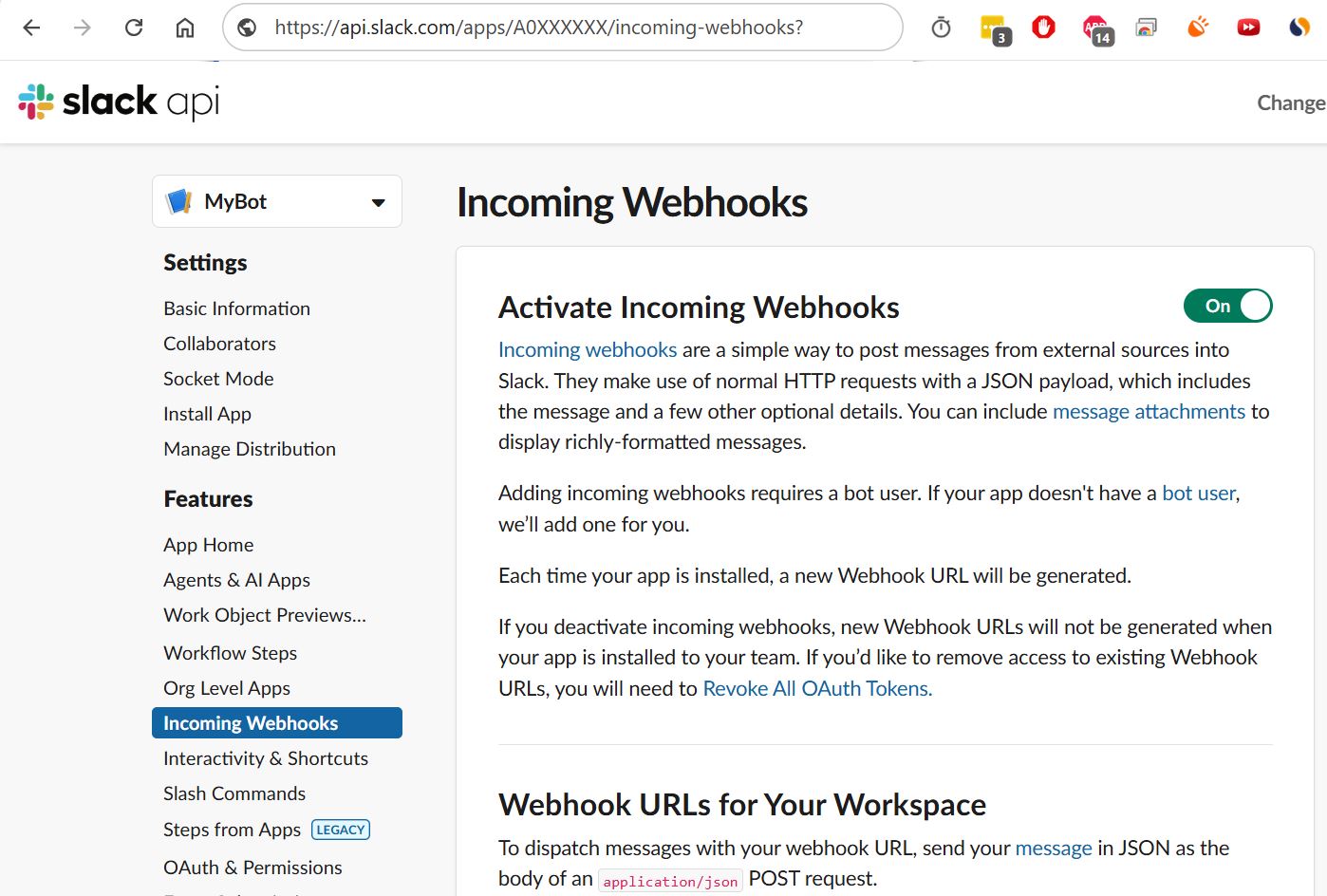
Toggle Activate Incoming Webhooks to On. The page expands to show a "Webhook URLs for Your Workspace" section near the bottom. Scroll down and click Add New Webhook to Workspace.
Slack opens an OAuth authorization page asking which channel the webhook should post to:
#cost-alerts channel beforehand so alerts don't
clutter an existing channel).
You're returned to the Incoming Webhooks settings page, and the new webhook URL appears in the table at the bottom:
https://hooks.slack.com/services/T0XXXX/B0YYYY/abc123def456ghi789
Click the Copy button next to the URL in the webhook table.
Go back to BillSnap's /connect page (or your existing project's settings on /dashboard). Paste the URL into the Slack webhook URL field and save.
Every morning at 09:00 UTC, when BillSnap detects an anomaly, you'll get a message in your chosen channel that looks like this:
| Service | SKU | Today | Mean | z |
|---|---|---|---|---|
| BigQuery | Analysis | $187.42 | $12.18 | 51.39 |
| Compute Engine | N2 Custom Instance Core | $94.83 | $28.55 | 13.47 |
| Cloud Storage | Standard Storage US | $22.10 | $8.74 | 12.72 |
Your workspace requires admin approval for new apps. After clicking Create App, an approval request goes to a Workspace Admin. Reach out to them on Slack; once they approve, the app appears under Your Apps at api.slack.com/apps and you can finish.
Repeat Add New Webhook to Workspace (step 4) and pick a different channel. Each webhook URL points at one channel. BillSnap stores one Slack URL per project, so for multiple channels you'd configure multiple projects, or pick one primary channel.
On the Incoming Webhooks settings page, find the webhook row and click Remove. The URL stops working immediately. Click Add New Webhook to Workspace again to mint a fresh URL; remember to update it in BillSnap's project settings.
Yes. Run this in a terminal:
curl -X POST -H 'Content-type: application/json' \
  --data '{"text":"BillSnap connectivity test"}' \
  https://hooks.slack.com/services/T0XXXX/B0YYYY/abc123...
If you see "BillSnap connectivity test" in the chosen channel, the URL is good.